

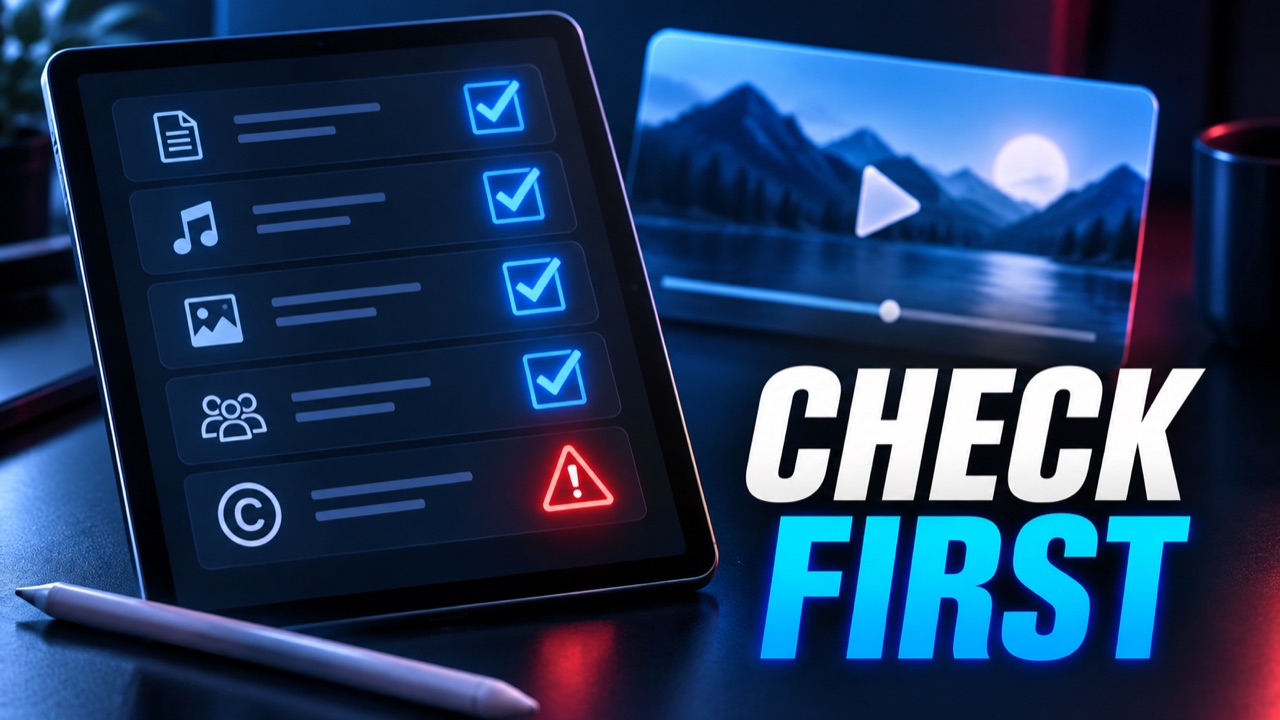
A permission checklist to use before converting online video
Conversion is a technical action, but permission is a separate question. A video can be easy to watch and difficult to reuse. A creator can upload their own footage yet include a commercial recording licensed only for that upload. A teacher can have permission to show a clip in class without permission to redistribute an MP3 of the soundtrack. This checklist gives individuals and small teams a practical way to ask the right questions before using a browser-based converter. It does not replace advice about a particular law or agreement.
1. Name the exact source and intended result
Write down the original video title, creator, account, and where you obtained the file or URL. Then describe the output: MP3 audio, MP4 video, a private working copy, a public post, or a file to hand to a client. Permission to watch is not necessarily permission to download, edit, distribute, or monetize. A license may allow some of those acts and restrict others. Defining the result first makes the rest of the review concrete.
For your own upload, check whether the original recording is already in your project files. YouTube provides a documented Studio download path for some videos that you uploaded, with exceptions. Its public watch page is not the same as an export permission. If the video belongs to someone else, do not infer download rights from a visible play button. Read the creator's stated terms and obtain the relevant authorization where required.
2. Check the rights in every layer
Video often contains several separate works: the camera recording, music, spoken performance, photographs, slides, logos, and subtitles. A broadcaster may control the footage while a label controls the song. A creative collaborator may own or license a score. Ask who supplied each element and what the agreement covers. In particular, an audio-only extract can change the context in which a track is used. The safest plan is to verify a right that actually covers your new format and audience.
If a work has a Creative Commons license, identify the specific license and version instead of treating "Creative Commons" as a blanket permission. Attribution is required for the standard CC licenses, and some add NonCommercial, NoDerivatives, or ShareAlike conditions. You should also check whether a third-party element in a CC-licensed video is excluded from that license. The license and source-notes guide shows what to record.
3. Separate copyright permission from platform rules
A rights holder may allow a use, but the platform that hosts the file can still have access and download rules. YouTube's Terms restrict downloading or otherwise using content outside specified permissions or applicable law. Review the terms that apply to your method, location, and account. Do not bypass technical restrictions, access private material without authorization, or assume that an online tool changes those rules. If a platform offers a built-in export for your own upload, that is usually a clearer starting point than an unexplained scraping route.
Copyright exceptions also depend on facts and jurisdiction. In the United States, fair use is evaluated through multiple factors, not a fixed percentage or a magic number of seconds. Other countries have different exceptions. A classroom purpose, commentary, or short duration does not automatically settle the question. When you cannot establish a permission or applicable exception with confidence, ask the rightsholder or use another source.
4. Check people, privacy, and confidentiality
Audio can reveal more than a picture suggests: names, faces described in speech, a private address, medical information, or a conversation that was meant for a limited group. Before forwarding a converted file, check participant consent and your organization's privacy rules. Redact sensitive sections when you have the authority to do so, and do not upload confidential source material to an unfamiliar service. If the content is a meeting or client interview, a private local workflow may be more appropriate.
5. Keep a short decision record
- Source: Which file or page is the copy based on, and who published it?
- Rights: What license, contract, direct permission, or exception supports the intended act?
- Scope: Does that basis cover MP3 or MP4, private or public use, territory, and duration?
- Components: Are music, images, performances, and guest voices covered separately?
- Platform: Is the selected method allowed by the relevant service rules?
- Evidence: Did you save the permission message, license text, and date checked?
A one-page note is more useful than a vague memory months later. Give the record a project identifier and store it beside the source. If permission expires, mark the date and reassess any planned distribution. If a creator changes the public page, your saved note helps explain what you relied on, though it does not create rights that you never had.
Examples that change the answer
Your own lecture with self-made slides
If you created the recording and all of its media, check your institution's policy and any student privacy issue. An MP3 might be useful when the visuals are not essential; otherwise retain the video. The learning-format comparison can help with that choice.
Your own video with commercial background music
Owning the footage does not resolve the music. Check the music license's scope before making a separate audio file. If uncertain, return to the project and create a version without that track. Our own-video workflow explains how to keep the clean source and the output distinct.
A third-party public tutorial
Public viewing alone is not reuse permission. Ask the creator, inspect the specific license, and use official offline viewing features where appropriate. Do not publish a standalone MP3 just because a URL is available.
Next step: Complete the checklist before using the audio conversion guide or any similar tool. If one item is unresolved, save the project and get clarity first.
To search for a recording or convert a YouTube link you are permitted to use, start with Ytmp3 and review the available download options.